

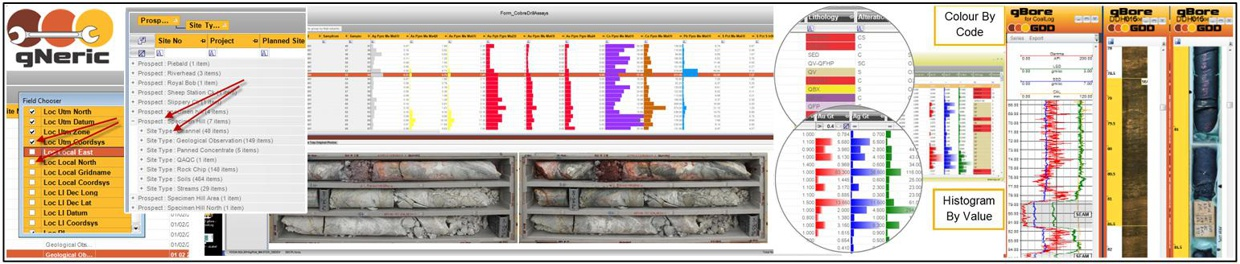
gPick gNeric – Generic Database Functionalities
GDD’s gPick application suite brings technical data, workflows and supporting information together in one powerful integrated environment.
Designed for organisations that need more than a simple database, gPick enables teams to capture, validate, manage, analyse and report complex data from a single connected platform. From direct field collection and seamless data importing to intelligent querying, configurable forms, linked files, data tagging and data integrity controls, the system is built to turn fragmented information into a reliable, accessible and highly usable operational asset.
The result is a smarter, faster and more transparent way to manage technical information; one that keeps data, context and decision-making connected at every stage.
GDD Master Data Management Philosophy
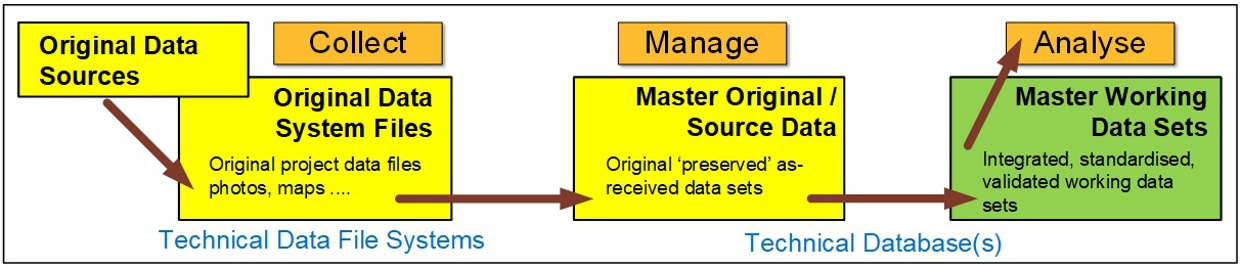
GDD’s philosophy is to build integrated technical database systems that treat data capture, validation, support material, and analysis as parts of the same workflow rather than separate stages.
Our primary focus is the creation and maintenance of your Master Working Technical Dataset; the data you assemble specifically as the basis for all your data-driven analysis and evaluation, reporting and linking to various technical application systems, and decision-making.
The approach emphasises reusable generic functions, preservation of both primary and secondary information, and a pragmatic import policy that allows data into the system under controlled status rather than rejecting it outright at the first issue. The intention is to make the database the centre of operational truth while also preserving the surrounding context needed for review, interpretation, and reporting.
Key Features
-
- Creation, management and maintenance of the Master Original / Source Datasets and the final Master Working Datasets
- Instantiated, unambiguous data structures/ schema that facilitate efficient and auditable data management and validation
- Keeping track of where stuff came from, when and by whom!
- Integrated treatment of capture, validation, management and reporting
- Immediate placement of data into the core technical database environment
- Emphasis on preserving both structured primary data and supporting context through linked objects
- Pragmatic import model that quarantines questionable data rather than rejecting it outright
- Strong reliance on reusable generic functions and metadata-driven behaviour
- Database viewed as an operational environment, not just a repository
Database Schema Design Features
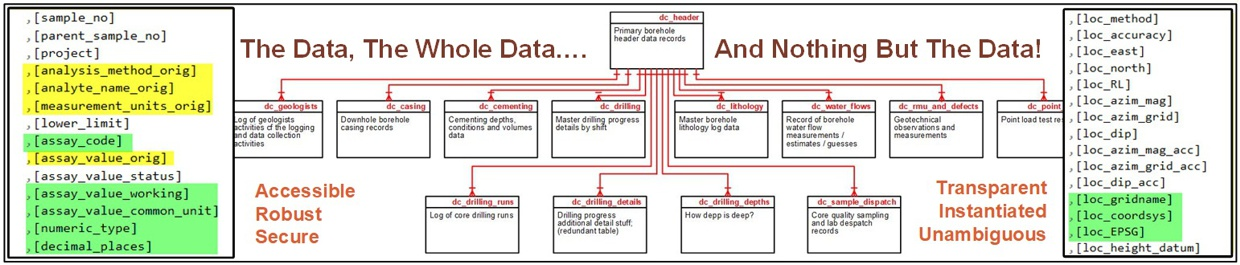
Transparent, unambiguous data schema design, with supporting metadata that define forms, columns, validation behaviour, imports, linked objects, help content, and integrity testing. This enables a high degree of consistency and reuse across the application suite while allowing behaviour to be configured rather than hard-coded.
The design supports both operational data storage and the application services layered around that data, making the schema a foundation not just for records, but for the behaviour of the platform itself.
Key Features
-
- Metadata-supported schema supporting application behaviour as well as data storage
- Clear, instantiated data schema – ‘A single place for everything, and everything in its place’
- Supporting tables for forms, columns, validation rules and help content
- Dedicated structures for imports, linked objects and integrity testing
- Reusable configuration model across applications and modules
- Consistent framework for managing interface behaviour from database metadata
- Extensible design suited to both standard and custom deployments
User Application Environment
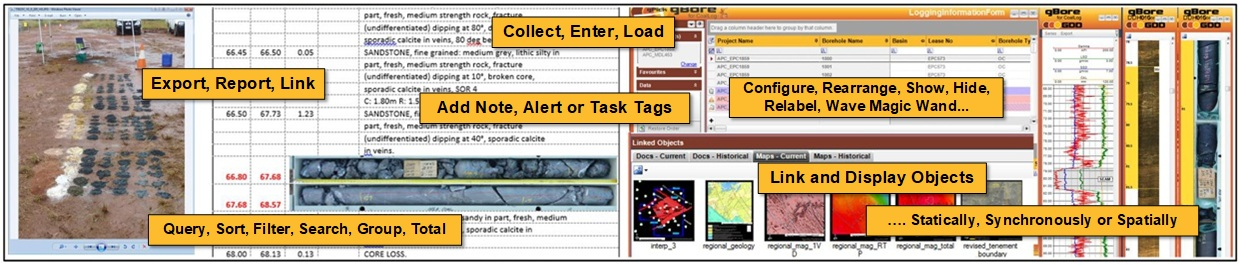
The user environment is a structured, form-driven application framework built to keep most data activities within a single workspace.
Main menus, form-specific menus, context menus, side panels, favourites, and status displays provide access to tools without forcing users to move between multiple disconnected interfaces. The result is a consistent operating environment that supports efficient data entry, review, maintenance, and analysis across a broad range of data types.
Key Features
-
- Unified application workspace for each data domain with main menus, form menus and contextual tools
- Dashboard-style navigation for forms, reports and open processes
- Status indicators for version, user, location and database connection state
- Customisable interface for desktop, touch and user preference scenarios
- Favourites and quick-access tools for commonly used functions
Data Entry / Importing
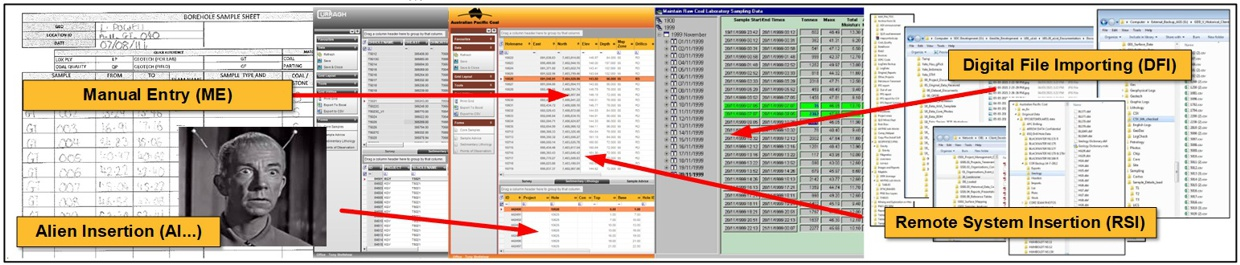
The platform supports multiple pathways for bringing information into the database, including manual entry, direct form-based capture, device integration, and import from external files and systems.
Standard file formats such as CSV, LAS, DLIS, Excel, and other structured sources can be loaded through dedicated import tools, while mapping and parsing processes help align incoming content to the target schema. This gives the database flexibility to accept both routine and ad hoc data sources while maintaining a structured import workflow.
Key Features
-
- Manual data entry during collection, or from logging sheets, through forms, grids and detail views
- Import tools for CSV, Excel, LAS, DLIS and other structured file formats
- Retention of all data source information
- Data mapping and parsing into target database tables
- Support for both standard recurring imports and ad hoc one-off loads
- Loading workflows that stage, check and post imported data into the database
- Direct integration of field-collected and externally sourced information
Instant Integration
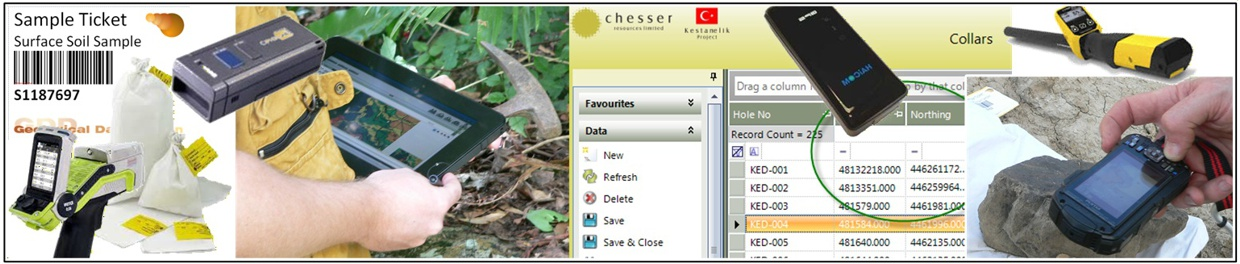
GDD’s database environment is designed around immediate integration of collected and imported information into the core technical database.
Rather than relying on separate capture tools followed by later transfer and re-entry, the platform aims to place data directly into the primary database context as soon as it is collected, imaginatively created, imported, or synchronised. This reduces lag, duplication, and manual handling while improving the speed with which information becomes available for validation, analysis, and reporting.
Key Features
-
- Immediate integration of captured and imported data (by listening to devices) into the core technical database
- Reduced reliance on manual re-entry, transfer and post-processing
- Direct synchronisation between field collection and central database environments
- Faster availability of new data for validation, analysis and reporting
Data Distillation
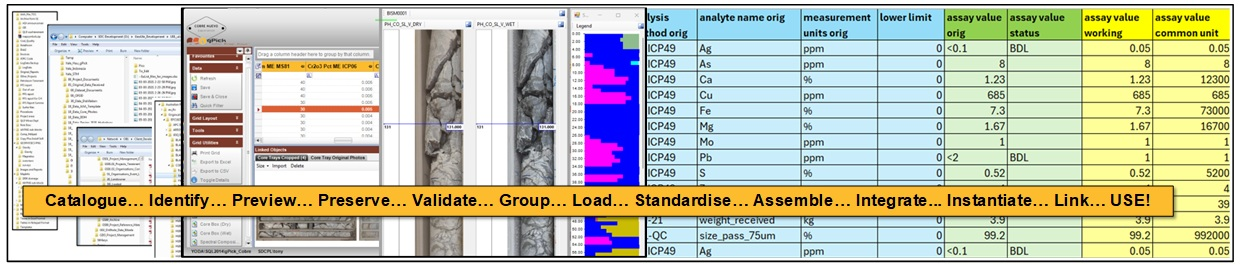
‘Data distillation’ is a term coined by GDD many years ago for the processing of large, diverse and disparate historical / inherited datasets. A suite of utilities helps you identify, catalogue, preview and group, move, rename and integrate existing data sets into your database environment (geoUte).
Key Features
-
- Conversion of raw and imported source material into structured primary data
- Preservation of supporting source material (images and documents are valuable data too!) alongside operational data
- Retention of contextual notes, files and observations (‘data tags’) connected to records
- Database design that supports both working data and finalised structured master gospel data
- Full traceability between original evidence and interpreted datasets
Validation and Data Integrity
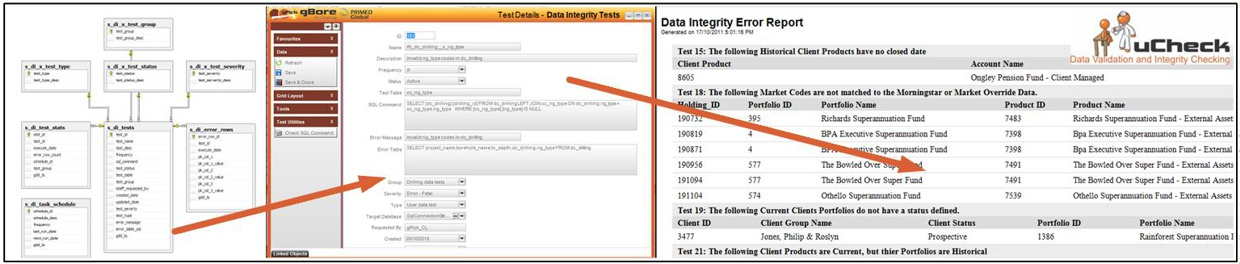
Data quality is managed through a layered validation approach. During data collection and entry, forms enforce rules through lookups, field checks, and controlled inputs. At schema level, database constraints provide an additional safeguard regardless of how data enters the system. Beyond that, the uCheck integrity framework performs broader post-load testing across datasets, identifying records that require correction and assigning validation statuses and severity levels. Together, these mechanisms support both point-of-entry quality control and ongoing database health assurance.
Key Features
-
- Lookup tables and dropdown controls for code checking and enforcement
- Field-level validation during manual data input
- Database-level constraints that enforce schema rules regardless of data source
- Post-load integrity checking using the uCheck framework
- Validation status flags on all data records for new, valid, suspicious, modified and invalid data
- Severity-based issue classification and integrity reporting
- Scheduled integrity testing with repeatable database health checks
Linked Objects
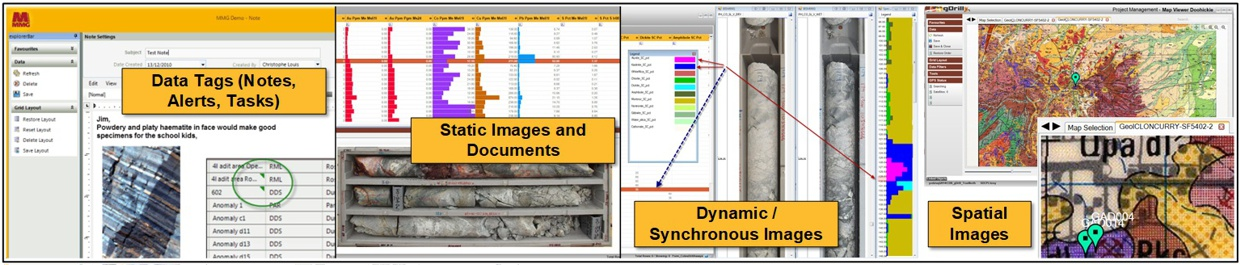
The Linked Objects framework extends the database beyond structured table data by attaching supporting files and non-tabular information directly to records. Documents, photographs, scanned images, maps, multimedia, and other secondary materials can be linked, displayed, opened, grouped, and managed from within the application. Importantly, this broader ecosystem also includes data tagging, which allows users to associate notes, alerts, tasks, and other ad hoc contextual information with specific records or even individual data items.
Together, linked objects and data tagging ensure that both formal supporting files and informal working context remain connected to the core data they explain, qualify, or support.
Key Features
Static Linked Objects
-
-
- Linking of documents, images, maps, videos and other files to database records
- Display of linked objects directly within forms and record views
- Thumbnails for images and icon-based display for other file types
- Grouping of linked object types into logical display tabs
- Ability to open linked files in their native applications
- Import of individual or bulk linked objects into the database environment
- Explorer tools for managing linked object metadata and associations
-
Synchronous Linked Objects
-
-
- Dynamic display of core photos, optical logs etc. against the current data records
-
Spatial Linked Objects
-
-
- Support for georeferenced maps and images and multimedia workflows
-
Data Tags
-
-
- The ability to link notes, alerts, tasks and ad hoc contextual information to records or specific data items
-
Data Display Features
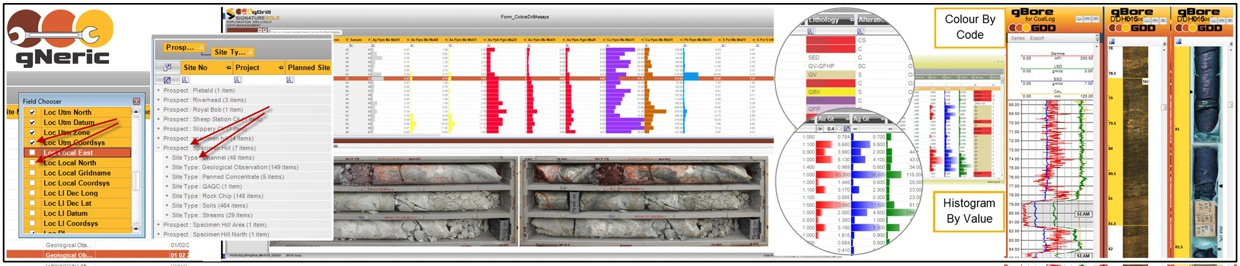
The system offers a broad set of display options intended to match the structure and purpose of the data being viewed. These include spreadsheet-style grids, detail forms, master-detail layouts, grouped and filtered displays, vertical detail panels, thumbnail previews, maps, and synchronised image views.
Together, these features enable users to inspect both high-level datasets and record-level detail in ways that are appropriate to the information being managed.
Key Features
-
- Spreadsheet-style grid views for tabular data
- Detail forms for single-record editing and review
- Master-detail views for related data structures
- Complex multi-panel forms for integrated record views
- Vertical detail panels for easier review of wide records
- Thumbnail displays in the linked objects panels for images and file objects
- Map views and synchronised image displays for spatial and visual content
- Flexible layouts for different data types and user tasks
- Switch between codes or description display in columns with reference tables (lookups) attached.
Data Querying
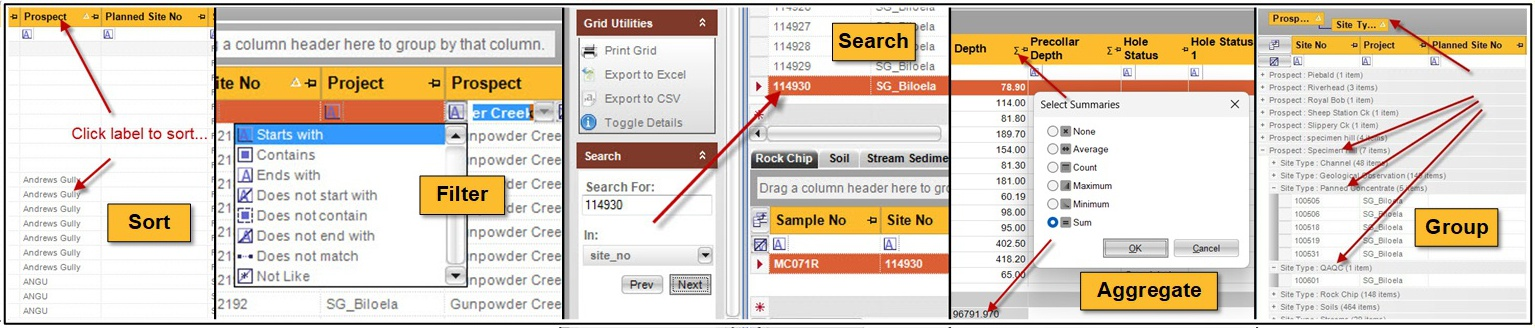
Querying is also embedded directly into the application’s forms and grids, allowing users to work with live data through sorting, filtering, grouping, searching, and saved queries. Popup details, summary tools, and calculator-style features extend the ability to interrogate information without needing to leave the operational interface.
This makes data retrieval highly accessible to end users while still supporting more advanced and reusable query workflows.
Key Features
-
- Sorting, filtering and searching directly within data grids
- Filter bars and advanced filtering options for rapid record selection
- Saved filters and reusable query views
- Grouping of records by selected fields
- Popup detail panels and vertical record views
- Data search utility for locating specific values without changing the dataset
- Aggregates, summaries and calculator-style functions within the data view
Reporting, Exporting and Linking Data
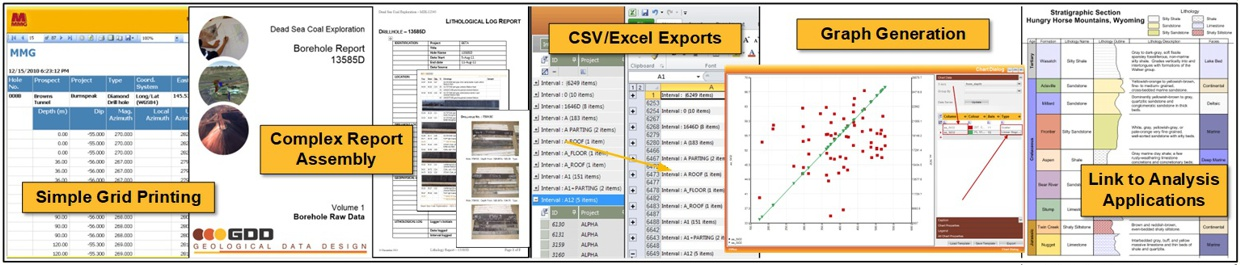
Output options range from straightforward exports and printing through to more sophisticated reporting and document-generation processes. Other analysis applications can also be linked directly to the database data elements.
Create CSV and Excel outputs, GIS-ready spatial files, printed grids, formatted reports, charts, Word-based documents, and assembled outputs that draw from multiple database components. This breadth of output capability allows the same data environment to serve operational, analytical, compliance, and presentation needs.
Key Features
-
- Printing and formatted reporting directly from data forms
- Export to CSV, Excel and GIS-compatible formats
- Preserve grouped and filtered views in exported results
- Link analysis, modelling and other applications through ODBC, OLE
- Word-based reporting and template-driven document generation
- Graph and chart generation from selected datasets
- Document assembly tools for more sophisticated multi-part documents
- Support for formal reporting, operational output and presentation use cases
User Configuration
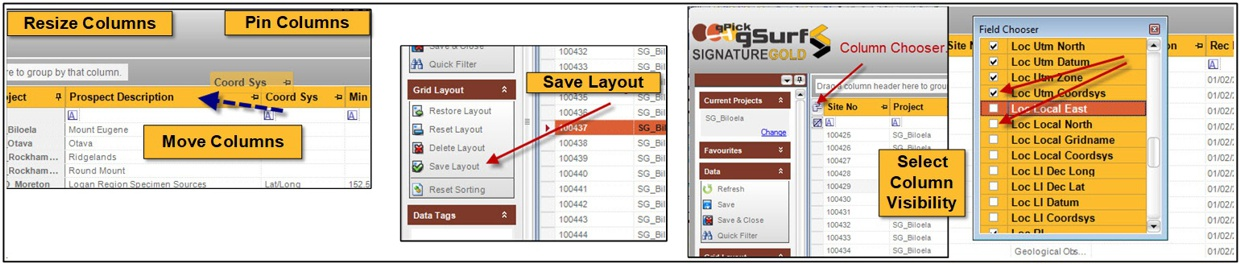
Data forms are highly configurable at both user and administrative levels. Layouts can be adapted through column movement, resizing, grouping, visibility settings, saved views, colour coding, and style management. Metadata-driven configuration also supports form and field-level behaviour changes across the application suite. This flexibility allows the same underlying platform to support different workflows, preferences, and deployment contexts without developer involvement.
Key Features
-
- User-controlled column positioning, resizing and visibility
- Field chooser for hiding and showing relevant columns
- Saved grid layouts and layout reset options
- Column pinning and grouped column display
- DBA Functions
-
- Colour coding and style-based display options
- Application-wide style management for branding and usability
- Administrator configuration of form titles, metadata and display behaviour
- Compact ‘tablet-mode’ and device-specific layout options
Interactive Help
The help framework is designed as a context-sensitive assistance system that responds to the user’s current form, field, or table. It provides guidance ranging from tooltips and short descriptions through to more detailed help content, with an administration mode that allows help information to be maintained as part of the application’s metadata. This makes support material available at the point of use, improving usability and reducing reliance on external manuals.
{PICKY – Banner}
Key Features
-
- Context-sensitive help for current forms, fields and tables
- Floating help panel with dynamic content based on user focus
- Tooltips, short descriptions and rich help content
- User mode for viewing assistance during normal work
- Administration mode for maintaining and improving help content
- Metadata-driven help linked to forms, fields and application objects
- Sample data for data entry fields
- Links to external resources where relevant
Error Management
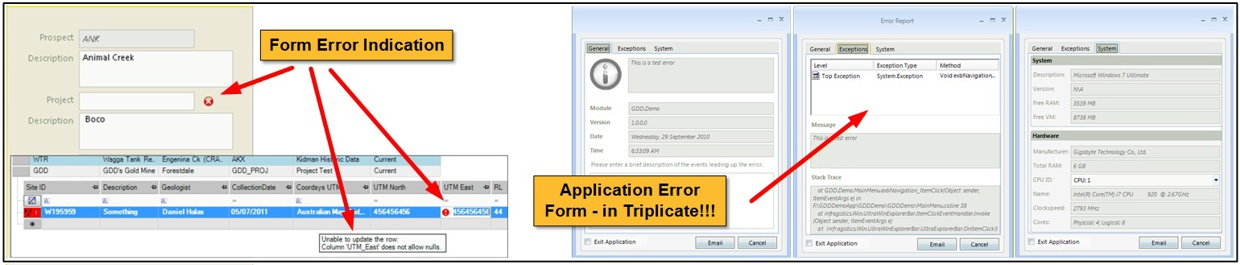
Error management combines user-facing alerts with structured logging behind the scenes. Application and database processes classify issues by type and severity, record them in logs, and present them in forms that support troubleshooting and review.
This framework helps users identify immediate problems while also giving administrators and developers the audit trail needed to diagnose exceptions, monitor process failures, and improve system reliability over time.
Key Features
-
- Structured handling of application and database errors
- User-facing error dialogs and alerts
- Error logs for exceptions and failures
- Process logs for tracing execution steps and diagnosing issues
- Classification of errors by class and severity
- Support for troubleshooting, auditing and application support workflows
- Optional error log submission for rapid follow-up
DBA Functions
DBA functions provide the administrative layer required to maintain the application and database environment.
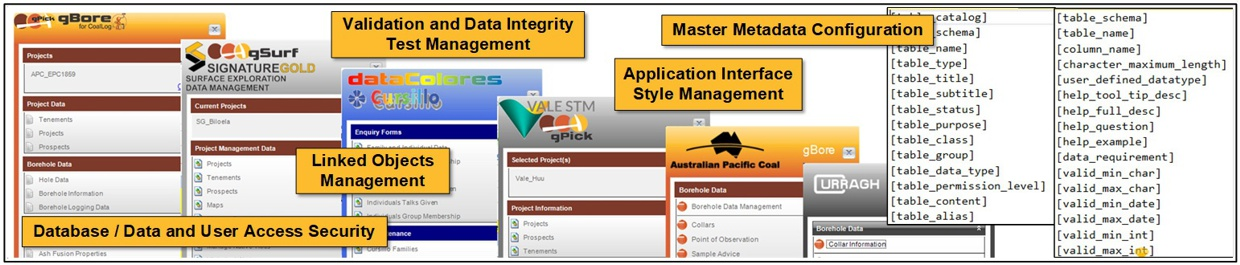
These tools cover areas such as reference data management, linked object administration, import configuration, integrity testing, metadata maintenance, schema validation, style management, user administration, and scheduled processing. They provide the controls needed to govern both the data itself and the behaviour of the surrounding application framework.
Key Features
-
- Reference data and lookup table management
- Linked object administration
- Data import and parsing control tools
- Integrity test management and scheduled processing
- Database connection and schema validation settings
- User management and access-related administration
- Application metadata and configuration maintenance
- Style and interface administration tools
- System-level controls for core database and application behaviour
Database Packaging
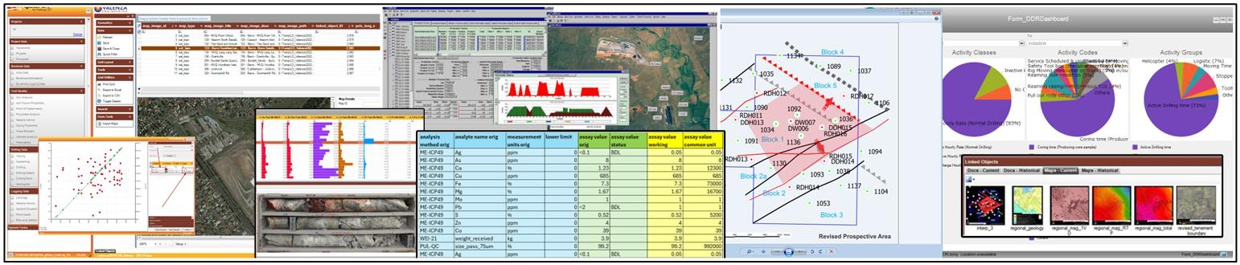
Create a standalone, read-only copy of your database application and database to share with potential investors, JV partners or other interested parties.
Key Features
-
- Stand-alone offline ;read-only’ versions of applications and databases
- Modular application suite built from reusable generic components
- Shared core functions deployable across multiple database applications
- Consistent patterns for data entry, validation, querying and reporting
- Reuse of common metadata and tools across implementations
- Flexible packaging for both GDD gPick databases and custom client solutions